

Company Node
When you need to track businesses in your investigation, Company Nodes are where you store everything about an organization. They’re basically digital business cards that show company details, contact info, and who runs the place.What goes in a Company Node?
Think of it as a company profile that shows:- Basic info - Company name, what they do, where they’re based
- Contact stuff - Phone, email, website
- Who’s in charge - CEOs, directors, key people
- Company details - How big they are, when they started, legal stuff
When you’ll use these
Company Nodes are useful when you’re:Following the corporate trail
Mapping out parent companies, subsidiaries, and how they’re all connected.
Researching businesses
Looking up companies that keep popping up in your documents or leads.
Building business networks
Seeing how different companies connect through ownership, partnerships, or shared people.
Company background checks
Gathering everything you can find about a specific business and its key people.
How to add a company
1
Drop it on your graph
Grab the Company tool from your sidebar and click where you want it on your graph.
2
Fill in the basics
Start with what you know:
- Company Name - What they’re actually called
- Industry - What kind of business they’re in
- Location - Where they’re headquartered
3
Add contact info
If you have it, throw in:
- Website - Their main site
- Email - General contact email
- Phone - Main number
4
Add the key people
List executives and directors:
- Full name - Don’t use nicknames
- Job title - CEO, Director, etc.
Connecting companies to everything else
The magic happens when you start linking companies to other stuff in your investigation. Here’s what you can connect:Contact info becomes searchable
Email addresses: Click any email to link it to a person or create a new Identifier. This way you can:- See everyone who uses that email address
- Find other companies with the same email domain
- Track email patterns across your investigation
- Spot when multiple companies share phone systems
- Track numbers across different businesses
- Find shared infrastructure
- See what other companies they’re involved with
- Map out their professional network
- Spot the key players across multiple businesses
Common investigation patterns
Following the people
Start with a company, click on executive names to make person profiles. You’ll often find these same people pop up at other companies.
Address hunting
Link addresses to Map nodes and see what other businesses use the same location. Shared addresses usually mean connected businesses.
Digital detective work
Connect websites to Network nodes to dig into their online presence, then follow the trail to related domains and servers.
Example: Mapping corporate structures
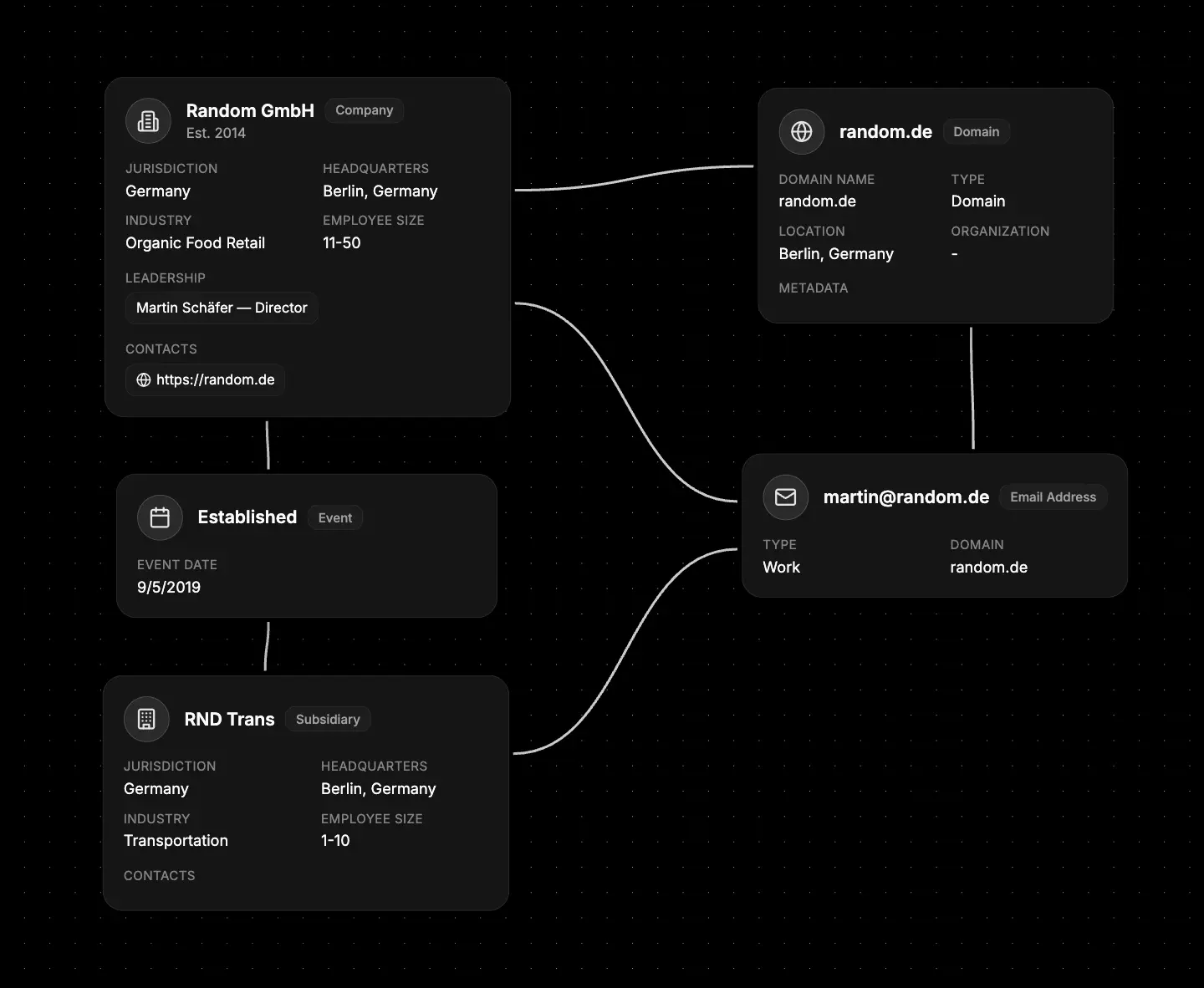
- Start with the main company - add everything you know
- Add the subsidiaries - create nodes for each division or child company
- Link the people - connect executives who sit on multiple boards
- Connect shared resources - same addresses, phone systems, etc.
What else to connect
Company Nodes work great with:- Identifier - People who work there
- Map - Office locations and addresses
- Network - Their websites, domains, and servers
- File - Legal documents, contracts, filings
- Event - Important dates and milestones
- Notes - Your investigation notes and observations